Smart, wireless, and no walls cut.
In a wireless home, lights, curtains, locks and sensors exchange commands by radio. Below: the four networks we use, the combination that suits each kind of home, and the keypads you will actually press.
Four radio networks, four jobs
Devices only cooperate when they share a network, and every network has work it does best.
Mesh: several routes for each command
Zigbee
A mesh of relaying devices
Tiny, fast commands. Mains-powered devices relay them, so coverage improves every time you add one.
Best for: Keypads, lighting, curtains and battery sensors
How Zigbee worksMesh below 1 GHz
Z-Wave
A frequency of its own
A mesh on a lower frequency that penetrates masonry well, with every product certified to pair across brands.
Best for: Smart locks, shut-off valves and security sensors
How Z-Wave worksStar: everything links to one router
Wi-Fi
The router is the centre
Bandwidth for live video. Devices join your router directly, with no separate gateway.
Best for: CCTV, video doorbells, speakers and appliances
How Wi-Fi worksMesh bridged to Wi-Fi by a border router
Thread
Where Matter devices live
A modern low-power mesh built to carry Matter, joined to your home network through a border router.
Best for: Households mixing brands and apps
How Thread worksAt a glance
| Zigbee | Z-Wave | Wi-Fi | Thread | |
|---|---|---|---|---|
| Network type | Mesh | Mesh | Star | Mesh |
| Frequency | 2.4 GHz | Sub-GHz, varies by country | 2.4 & 5 GHz | 2.4 GHz |
| Data speed | 250 kbps | Up to 100 kbps | Hundreds of Mbps | 250 kbps |
| Range per hop | 10–20 m | About 30 m | A few rooms | 10–30 m |
| Sensor battery | 1–2+ years | Years | Weeks to months | Years |
| Requires | A gateway | A controller | Your router | A border router |
Plus Matter, which sits above them
Matter is a common standard rather than a radio. Carried over Wi-Fi or Thread, it lets a single device appear in Apple Home, Google Home, Alexa and SmartThings together.
The combination for your situation
Find the description closest to your home and see which networks we would put in.
Renting
A move is likely within a couple of years
Smart plugs, bulbs and adhesive sensors. No gateway, no rewiring, and it all packs up when you leave.
Not a single mark on the walls.
An owned, furnished flat
2 to 4 BHK, already occupied
Relay modules sit behind existing switches and glass keypads replace the old plates. Room by room, the home turns smart within days and no wall is cut.
What most apartment owners choose.
A big villa over several levels
Heavy walls and long runs
Each mains Zigbee device strengthens the mesh, while Z-Wave’s lower frequency carries through slabs and RCC walls to distant rooms.
Signal is checked on each floor before handover.
Mixed iPhone and Android users
Several ecosystems under one roof
Matter lets one bulb or lock appear in Apple Home, Google Home and Alexa together, so each person keeps their favourite app.
Pair it once; every app sees it.
Security is the priority
Locks, leaks and alarms
Certified Z-Wave locks and shut-off valves pair across brands, while compact Zigbee sensors guard doors, windows and floors and report instantly.
Alerts arrive on your phone anywhere.
New build or full renovation
Walls are currently open
Pull cable now for a system built to last decades, then add wireless later wherever a wire cannot go.
Wired smart homes →We usually combine two or three networks, and you run all of them from a single app.
Keypads you will use daily
Press them, tap the app or just speak. They all keep working through an internet outage.
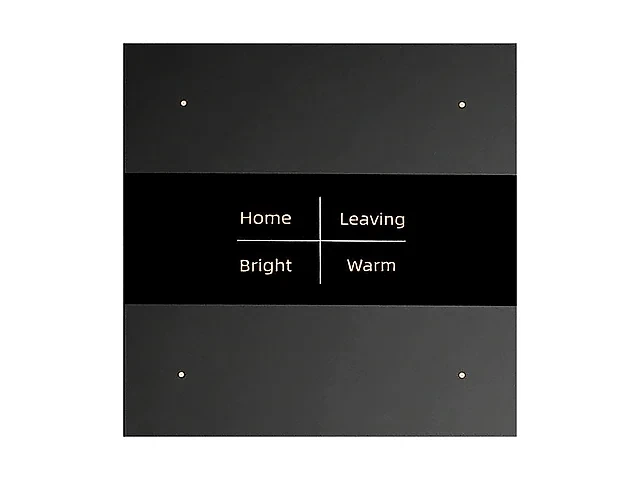
Custom-icon switch
Four keys engraved to order
Each of the four keys is engraved with a symbol or label of your choice
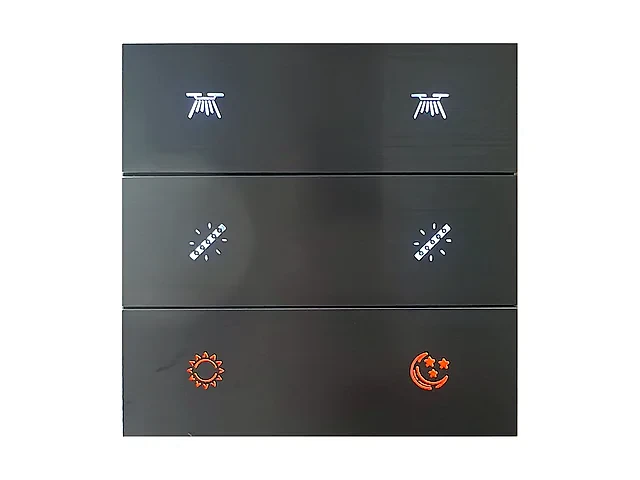
Mood switch
Lights and preset moods
Runs four lights and two preset moods from one plate
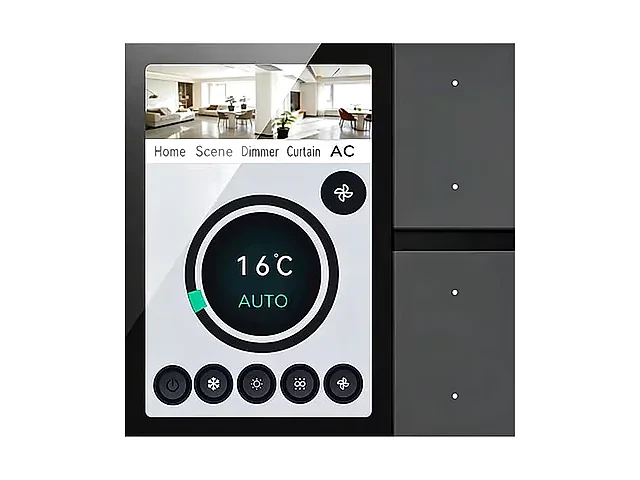
3.5" touch panel
An entire room on one display
Colour display for lighting, drapes and moods, plus an IR emitter that runs the AC
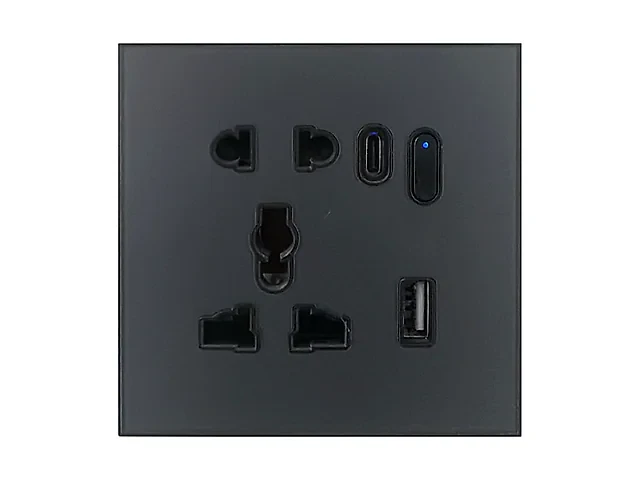
Smart socket
With USB-A and USB-C
Charges devices and can be switched on or off from the app
Explore each network in depth
Every guide has an animated diagram, the devices it runs and its technical figures.
Zigbee
A low-power mesh where devices relay for each other. Ideal for keypads, lighting and sensors.
Read moreZ-Wave
A sub-GHz mesh that ignores Wi-Fi noise. Certified across brands, ideal for security.
Read moreWi-Fi
High bandwidth through your router. The right choice for cameras, doorbells and appliances.
Read moreThread
A modern low-power mesh that carries Matter, with no single hub to fail.
Read moreMatter
A common standard every major ecosystem understands, over Wi-Fi or Thread.
Read moreWireless: common questions
Which wireless network is best?
It depends on the job. Zigbee for keypads, lighting and sensors; Z-Wave for locks and security; Wi-Fi for cameras; Thread with Matter for mixing brands and apps. Most homes we build use two or three.
Can I combine brands?
Yes. Matter makes it straightforward, and a capable gateway handles several networks, so it all runs from one app.
Does an internet outage stop the house?
No. Zigbee, Z-Wave and Thread communicate locally, so keypads, sensors and automations carry on. Remote access and voice assistants simply wait for the connection.
How secure is wireless?
Every one of these networks encrypts its traffic. On top of that we use strong passwords, apply updates and can isolate smart devices on a separate network from your computers and phones.
Does wireless involve cutting walls?
No. Relay modules sit behind existing switches and smart keypads fit the same boxes, which is why it suits finished homes so well.
Wireless or wired for my home?
Finished homes are usually best served by wireless. New construction or full renovations benefit from wired, which lasts longer. Plenty of homes mix the two.
Ready to go wireless? Let us design it.
Describe your home and we will pick the right network for every room.